
Web app · AI images, video and music
GenVista GreenAI images, video and music in your browser
Create and edit pictures, turn photos into clips with their own sound and make songs in 50 languages: 27 AI tools in your browser, with CivitAI checkpoints and LoRAs on Pro and Max.
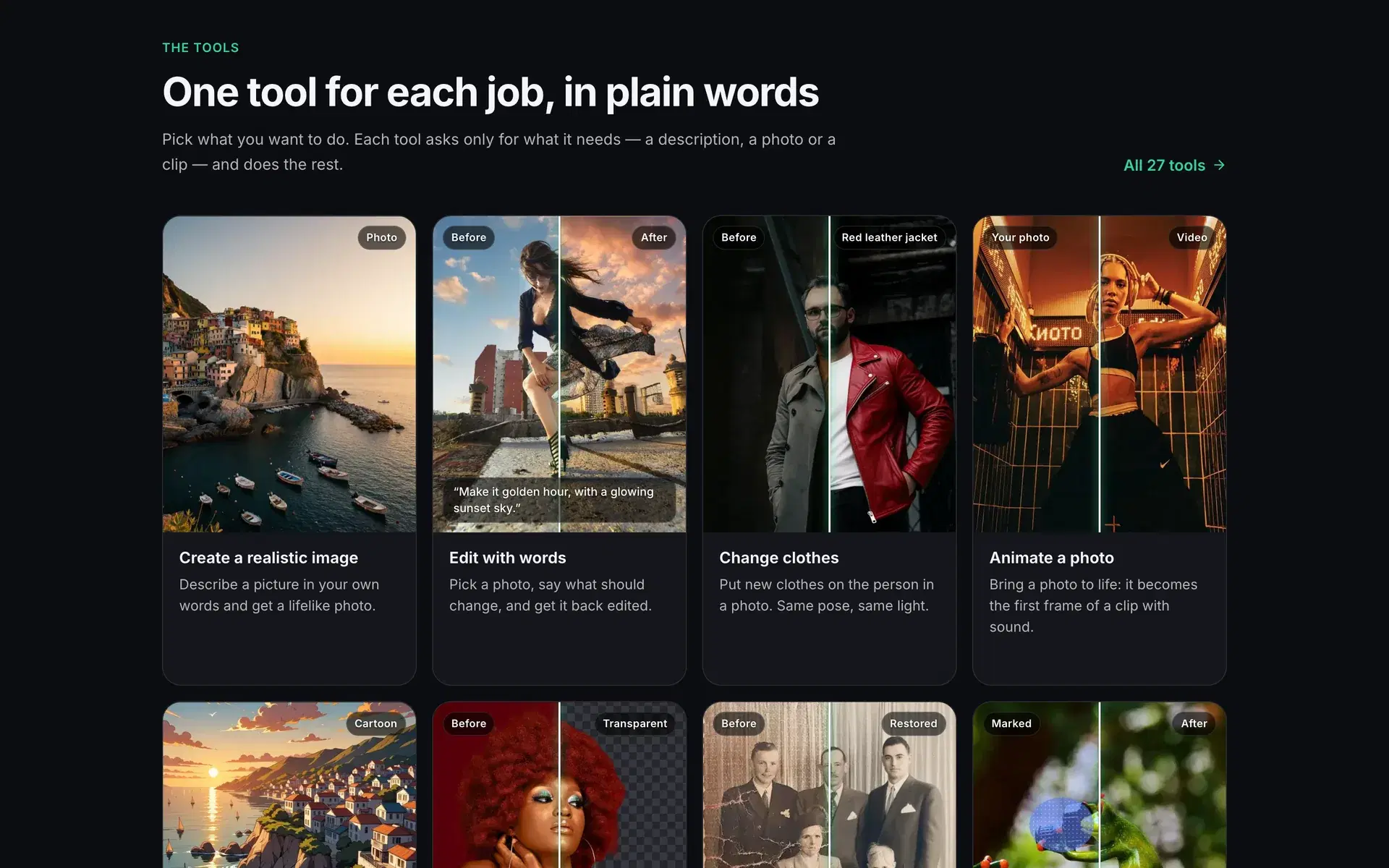
Fig. 1 — GenVista Green, genvista.green
- Create pictures from your words, or with CivitAI checkpoints and LoRAs on Pro and Max.
- Edit a photo by saying what should change, or put new clothes on the same person.
- Turn a photo into a clip with its own sound, then extend or restyle it.
What you can make
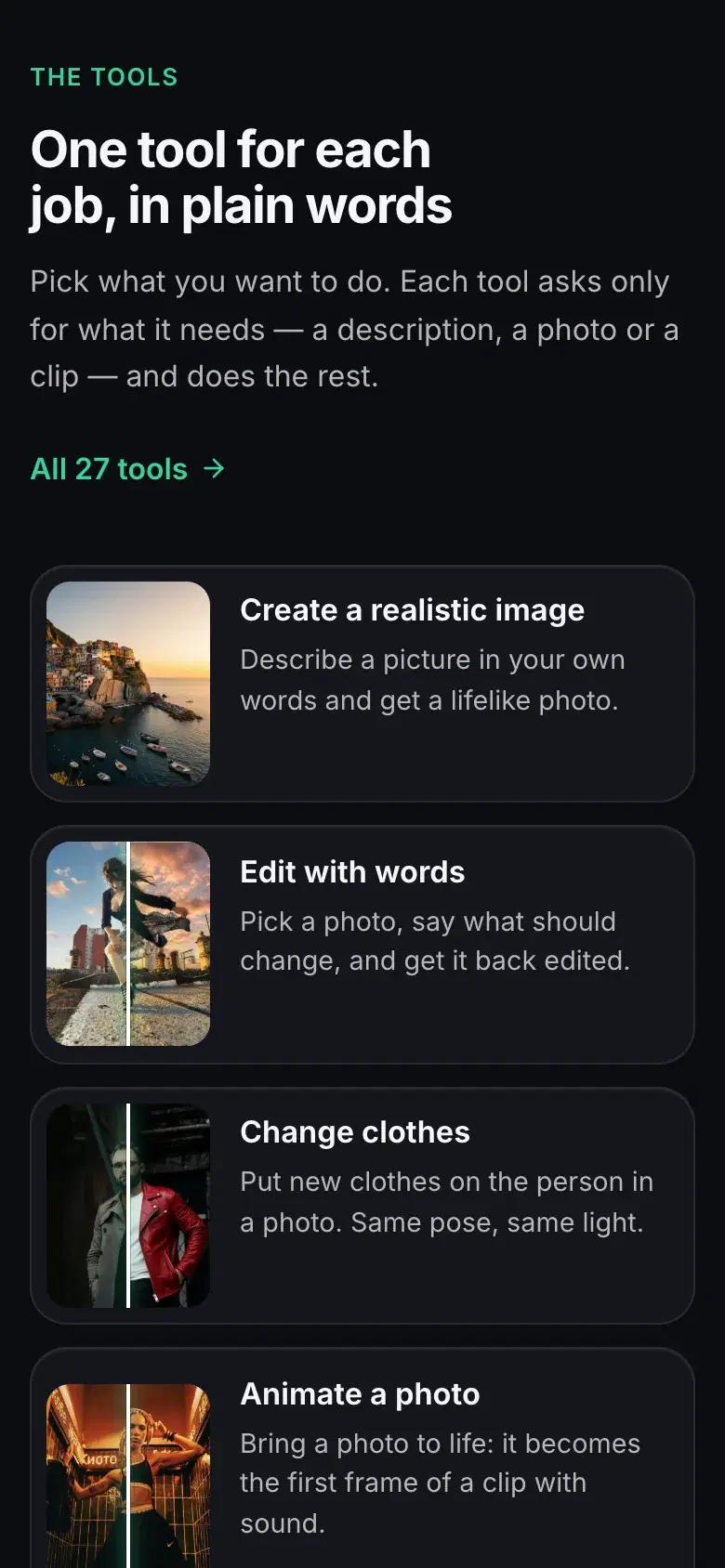
27 tools in four groups. Each one asks only for what it needs — a description, a photo, a clip or a song — and does the rest.
- Pictures
- Realistic and cartoon pictures from a description, or thousands of CivitAI checkpoints and LoRAs built on Illustrious, Anima, Krea 2 and Qwen-Image 2.1.
- Photo editing
- Edit with words or paint over a part; change clothes, shoes or the angle; expand, restore or upscale a photo, remove its background or turn it into art.
- Video
- Turn a photo into a clip with its own sound, then extend, restyle or upscale it up to 4K. Spin around a moment, animate drawings, swap a character or slow a clip down.
- Music
- Songs with lyrics and vocals in 50 languages, background music, a new style or new words for a song, a song in your own voice, and karaoke splits.
Three plans, no credits
Each plan is a flat monthly or yearly price with a fair-use pace instead of credits, so you never watch a balance run down.
- Starter
- Realistic and cartoon pictures from a description, and photo edits with words.
- Pro
- All 27 tools: video with sound, in clips up to 10 seconds, songs, and any CivitAI checkpoint or LoRA.
- Max
- Everything in Pro at full speed, with 2K video and clips up to 15 seconds.
GenVista Green or GenVista Pictures?
Two products on one account. GenVista Green, the website, is the full studio. GenVista Pictures is a separate, simpler app for making and editing pictures on your phone.
| Website · this pageGenVista Green | AppGenVista Pictures | |
|---|---|---|
| What it is | A website, in any browser on a phone, tablet or computer | An app for iPhone, iPad and Android |
| Create and edit pictures | Yes | Yes |
| Video with sound | Yes, on Pro and Max | No |
| Songs and music | Yes, on Pro and Max | No |
| CivitAI checkpoints and LoRAs | Yes, on Pro and Max | No: each tool uses a fixed model |
| Tools | 27, for pictures, photo editing, video and music | Create, Edit with words and four quick tools |
| Plans | Starter, Pro and Max, bought on the website | GenVista Starter, bought in the App Store or Google Play |
The plan in the app
The app sells one plan, GenVista Starter, and it covers everything the app does, with a new picture every 15 minutes. Prices are shown in the app.
One account for both
A Pro or Max plan from the website works in the app too, for its picture tools. A plan bought in the app counts as Starter on the website: to move up to Pro, cancel it in the App Store or Google Play first.
Release history
GenVista Green makes music
genvista.green adds songs with lyrics and vocals in 50 languages, background music and more.
GenVista launches on the web
genvista.green brings AI image and video generation to the browser.
GenVista Studio goes live
A hub for exploring and running community checkpoints and LoRAs.
Frequently asked questions
Is GenVista Green the same as GenVista Pictures?
No. GenVista Green is the full studio on the web, at genvista.green: pictures, video with sound, songs and CivitAI models. GenVista Pictures is a separate, simpler app for iPhone, iPad and Android that creates and edits pictures only. Both use the same account.
Do I need to install anything?
No. GenVista Green runs in the browser on any phone, tablet or computer, and every job renders on our GPUs. There is no model to download and no graphics card needed.
Which plan do I need?
Starter covers realistic and cartoon pictures and photo edits with words. Every other tool, including video, music and CivitAI models, needs Pro or Max. Plans are a flat monthly or yearly price, with no credits; prices are on genvista.green/pricing.
Which AI models can I use?
With Pro or Max, you can run CivitAI checkpoints and LoRAs built on Illustrious, Anima, Krea 2 and Qwen-Image 2.1, and add CivitAI LoRAs to Animate a photo. Starter’s tools each use a model chosen for them.
Does a plan from the GenVista Pictures app work here?
Yes, on the same account: a plan bought in the app counts as Starter on the website. To move up to Pro, cancel it in the App Store or Google Play first, then choose Pro on genvista.green once it ends.
What happens to what I make?
Pictures, videos and songs land in your private gallery and are deleted 48 hours after they’re made. Download the ones you want to keep.
Does GenVista Green mark what I make?
Invisibly: a signed label in the file and a watermark hidden in the pixels, frames or sound say it was made with AI. There’s no visible watermark, and the marks never say who made the file or with which prompt.
Who is it for?
Adults: GenVista’s Terms require users to be at least 18.
How do I get help?
Write to support@genvista.green, for the website and for the app.